The 3 Automations Every Marketing Team Needs Before Anything Else
Most teams automate the fun stuff first. Here are the three n8n workflows that actually move the needle, validated by what marketing teams keep asking for on Reddit.

Edward Chalupa
Founder, Whtnxt · Dallas, TX

Most marketing teams I talk to are drowning in tool subscriptions. Zapier, Make, HubSpot workflows, some half-configured Salesforce automation that nobody remembers setting up. They’ve got 20 automations running and still spend half their week on manual work.
Here’s why: they automated the fun stuff first. The shiny stuff. Not the stuff that was actually costing them the most time.
I started paying attention to this pattern across a few different communities - r/marketing, r/martech, and r/n8n specifically. The same three questions kept coming up, almost word for word. How do I stop losing leads in the handoff? How do I get rid of the Monday morning reporting ritual? How do I stop manually posting the same content to five different places? Three problems, over and over, from teams at very different stages and sizes. That’s usually a signal that the pain is real and the solutions aren’t obvious.
If I had to strip a marketing stack down to three automation workflows and build from there, these are the three I’d build first. Every time. Not because they’re fancy, but because they eliminate the errors and delays that quietly kill pipeline.
1. Lead Routing That Doesn’t Rely on a Human Hitting Refresh
This is the one that surprises people the most when I quantify it.
The average B2B lead response time is 47 hours. Studies consistently show that responding within 5 minutes increases conversion rates by 9x compared to responding after an hour. But most teams are still routing leads manually, which means the lead sits in a shared inbox until someone notices it, qualifies it in their head, and finally assigns it to a rep.
Sales blaming marketing for bad leads. Marketing frustrated that reps aren’t following up. Both groups are right. The process is broken, not the leads.
Here’s the n8n workflow that fixes it:
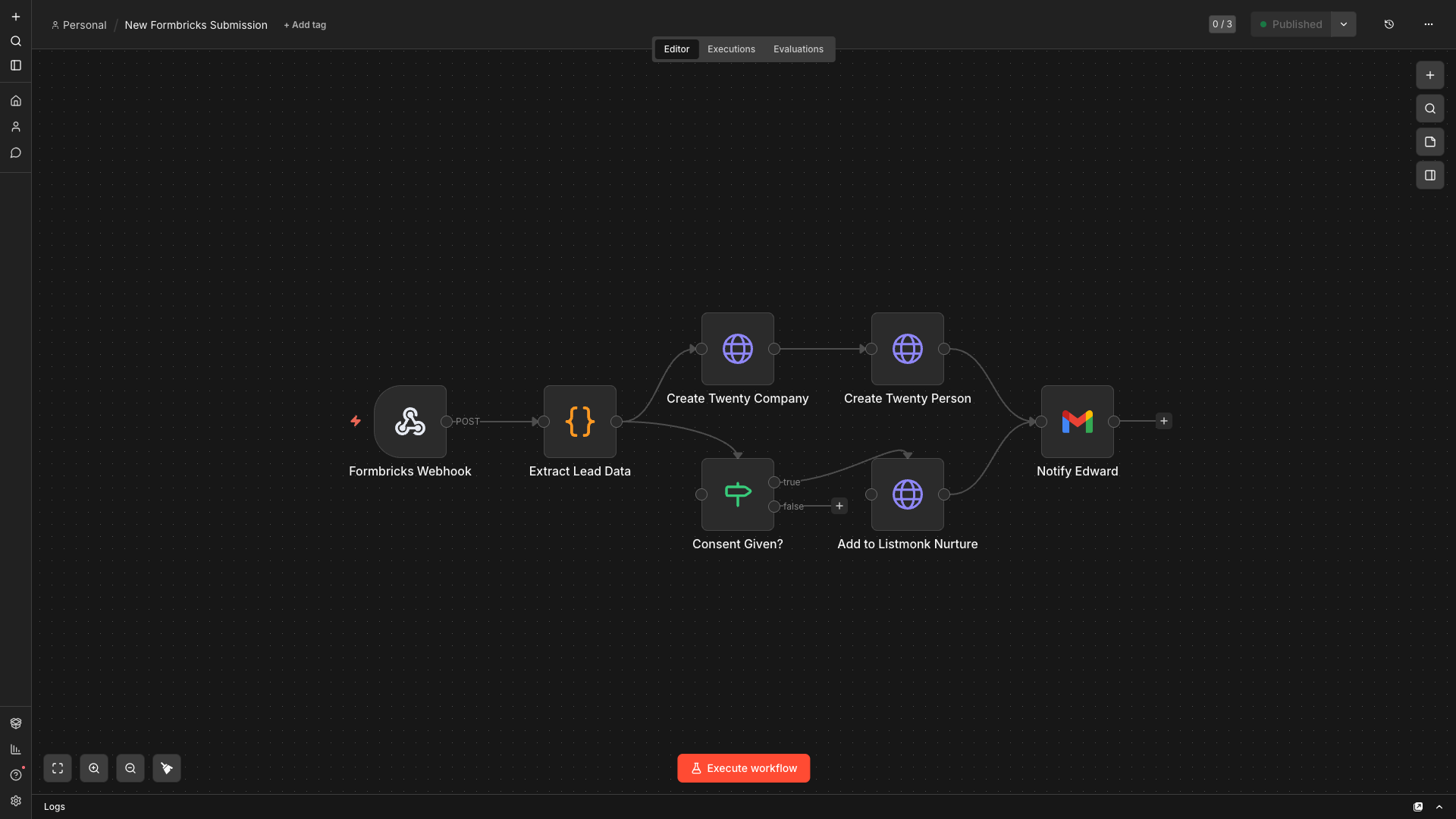
Trigger: Webhook node connected to your form (Formbricks, Typeform, HubSpot form, doesn’t matter).
Node 2 - Lead Scoring Logic: A Function node that pulls the form data and scores the lead based on whatever criteria matter to your business. Company size, job title keywords, specific answers. Output a numeric score.
Node 3 - Branch: IF node that splits high-score leads (route immediately) from low-score leads (add to nurture).
Node 4a - CRM Create: HTTP Request node that creates the contact in your CRM with the score attached. I use Twenty CRM, but the API call pattern is the same for HubSpot or Pipedrive.
Node 5a - Slack/Email Alert: Send a notification to the assigned rep with the lead’s details and score. Not just “new lead” - include company, role, what they filled out, and a direct link to the CRM record.
Node 4b - Email Nurture: For lower-score leads, trigger the appropriate email sequence in Listmonk or whatever you use.
The whole thing runs in under 3 seconds from form submission to rep notification. We went from a 6-hour average response time down to under 10 minutes after deploying this. That kind of reduction compounds directly into pipeline velocity.
Download lead routing workflow template - Import directly into n8n. Credentials and API keys have been removed; you’ll need to add your own before activating.
2. Campaign Reporting That Doesn’t Require a Monday Morning Spreadsheet Ritual
I’ve seen this at almost every agency and in-house team: someone spends 3-4 hours every Monday pulling numbers from Google Ads, Meta, LinkedIn Ads, and GA4 into a spreadsheet. Sometimes it’s a junior person. Sometimes it’s a director-level person doing it because “nobody else knows how.”
That is an expensive ritual. And it introduces errors every single time someone touches a formula.
The fix isn’t a reporting dashboard, necessarily. It’s an automated data pipeline that does the aggregation for you.
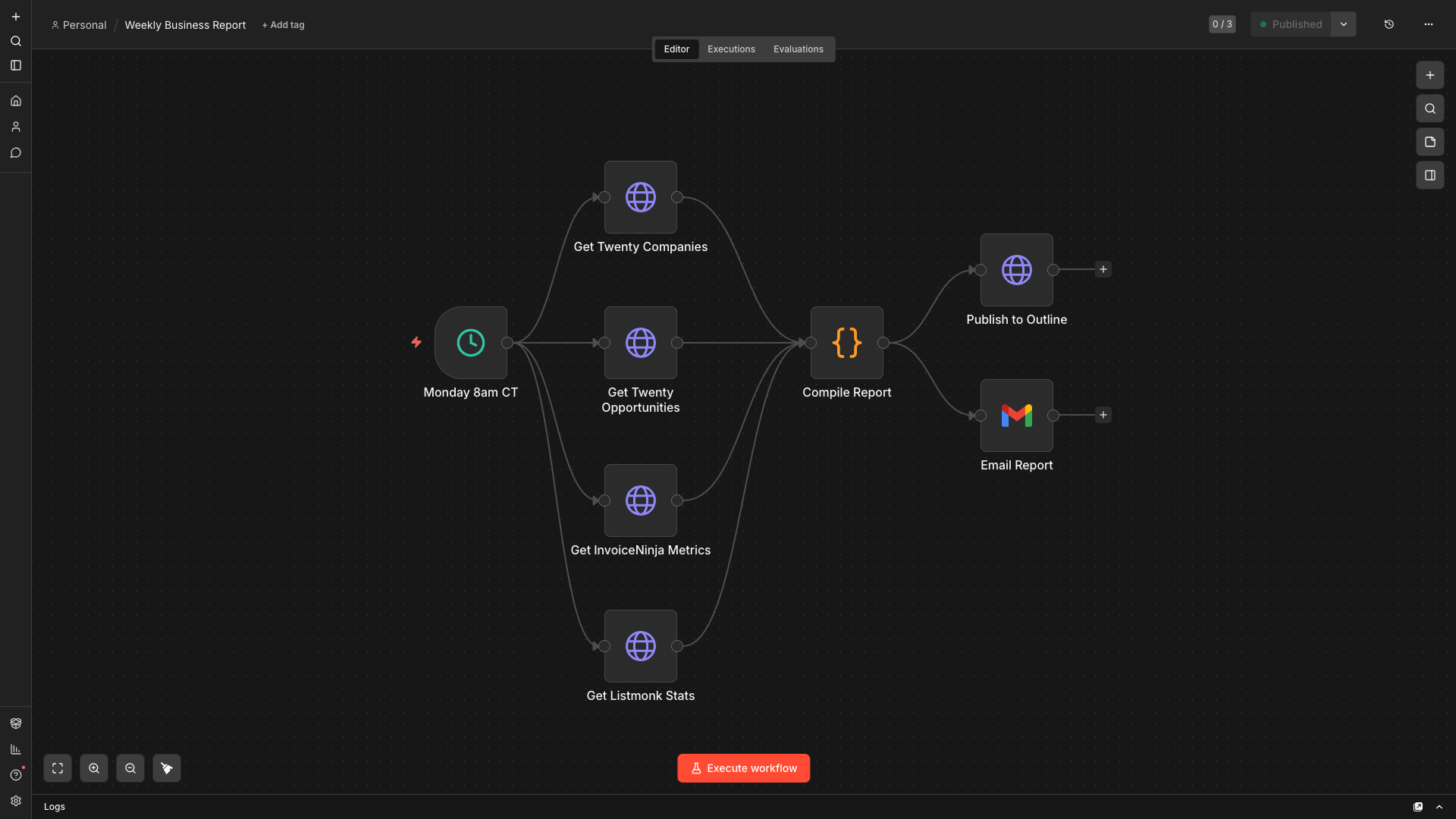
Trigger: Schedule node. Monday at 7am, before anyone’s in the office.
Node 2 - Google Ads Pull: HTTP Request node to the Google Ads API. Pull impressions, clicks, spend, and conversions for the prior 7 days. You can use the reporting API with a GAQL query - it returns JSON that’s easy to work with.
Node 3 - Meta Ads Pull: HTTP Request to Meta Graph API. Same fields. Use the Insights endpoint.
Node 4 - GA4 Pull: HTTP Request to GA4 Data API. Sessions, goal completions, attribution data.
Node 5 - Merge + Aggregate: A Function node that combines all three payloads. Calculate blended ROAS, total spend, total conversions. Build the summary row.
Node 6 - Google Sheets Write: Append the row to your reporting sheet. Date-stamped, clean, no formulas that can break.
Node 7 - Slack Summary: Post a plain-text digest to #marketing-weekly. Just the numbers that matter: total spend, leads generated, cost per lead, best channel.
The Monday morning ritual becomes a Monday morning review. Someone reads the digest and asks questions instead of spending an hour building the spreadsheet. That’s the shift.
One caveat: API access and auth setup takes a few hours. It’s a one-time investment. After that, it just runs.
Download campaign reporting workflow template - Import directly into n8n. Credentials and API keys have been removed; you’ll need to add your own before activating.
3. Content Publishing That Isn’t 7 Browser Tabs and a Copy-Paste Session
Every marketing team I’ve talked to that does consistent content has some version of this problem. You’ve got a blog post, and now you need to publish it to the blog, share it on LinkedIn, schedule tweets, and send it to the newsletter list. That’s at least 4 separate logins, a bunch of copy-paste reformatting for each platform, and usually something getting missed.
The automation for this is less about speed and more about consistency and reducing the mental load of context-switching.
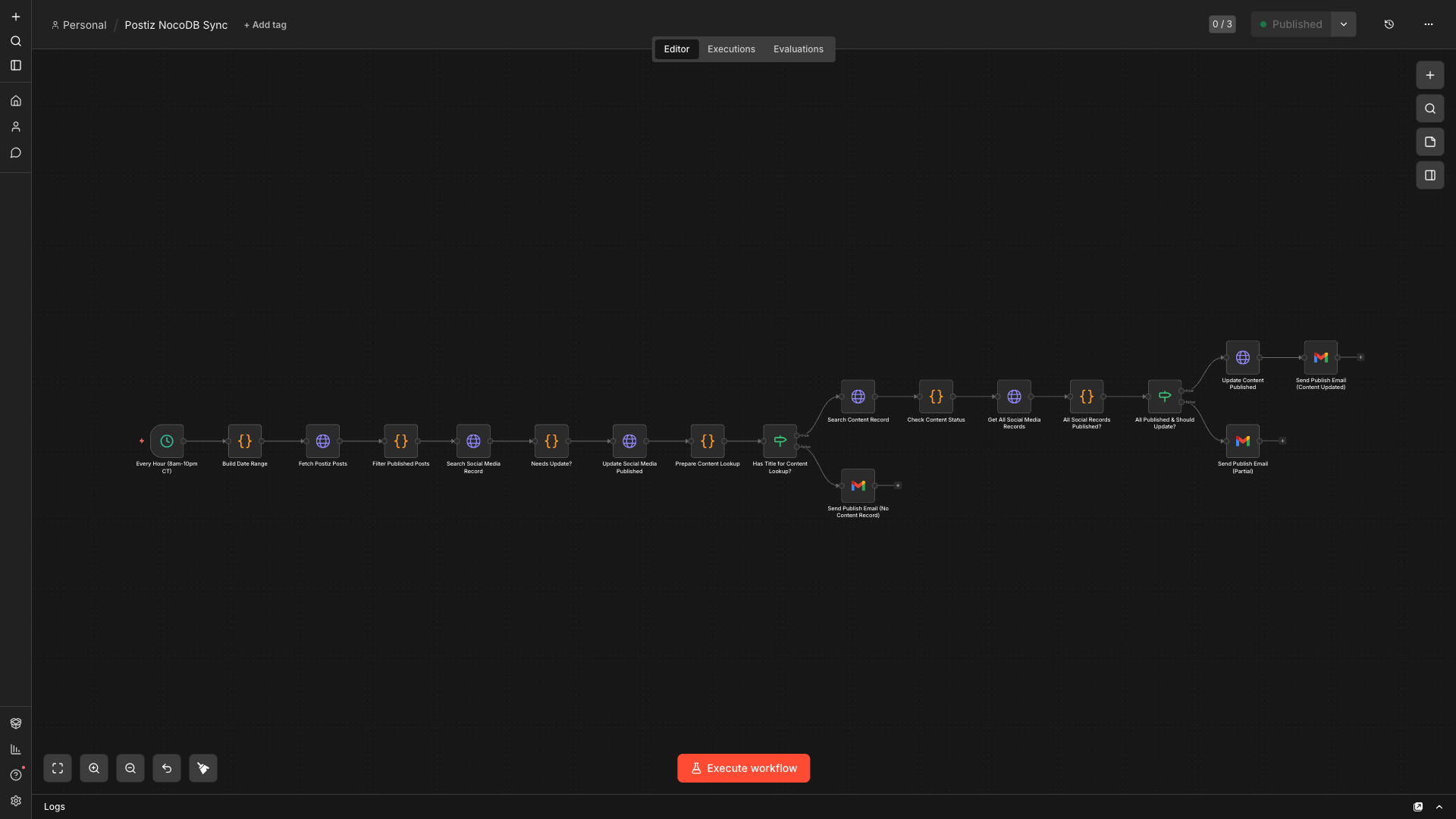
Trigger: Webhook. When a content record in NocoDB (or Airtable, or Notion) gets marked “Approved,” fire the workflow.
Node 2 - Get Content: HTTP Request to your CMS or database to pull the full content record. Blog post markdown, LinkedIn variant text, newsletter intro, target date.
Node 3 - Blog Publish: Git API call (or your CMS’s REST API) to push the MDX file to your repo. For Astro or Next.js sites, this triggers a Vercel deploy automatically.
Node 4 - Social Schedule: HTTP Request to Postiz or Buffer to schedule the LinkedIn post for the target date/time. Attach the post text variant you wrote for LinkedIn specifically, not the full blog post.
Node 5 - Newsletter Campaign Create: Listmonk API call to create the campaign draft with the newsletter variant text. Set to send 24 hours after the blog goes live.
Node 6 - Update Status: Write back to NocoDB to set the content record status to “Scheduled” and log the Postiz post ID.
Node 7 - Slack Notification: Tell Edward (or your content lead) what just went out and what’s queued.
This doesn’t write the content for you. That part still requires a human. But the distribution - the mechanical part of getting content to the right places at the right times - should never require manual effort.
The payoff isn’t dramatic. You don’t save 20 hours the first week. You save 2-3 hours a week, every week, consistently. And you stop dropping balls when things get busy.
Download content distribution workflow template - Import directly into n8n. Credentials and API keys have been removed; you’ll need to add your own before activating.
Where to Start
If you’re building these for the first time, do them in this order: lead routing first, reporting second, content publishing third. I documented a complete n8n lead routing automation build guide with scoring and CRM integration that covers the technical implementation for the number-two automation in this stack.
Lead routing has the most direct impact on revenue. Reporting removes a recurring pain that eats senior time. Content distribution compounds over months, not days.
All three can be built in n8n, self-hosted, for free. The API credentials take time to get right, but the logic is not complicated. If you can think through the steps in plain language, you can build the workflow.
The point of all three is the same. Stop automating the things that are interesting to automate. Automate the things that are too important to leave to chance - the handoffs, the aggregations, the repetitive mechanics of distribution. Get those running reliably first, then build from there.
If you’re starting with one of these, I’d be curious which one - and what the manual version of it currently looks like for your team. Drop it in the comments.
All three workflow JSON files are available for download below.
Download lead routing workflow | Download campaign reporting workflow | Download content distribution workflow
Credentials and API keys have been removed from all three. You’ll need to add your own connections before activating any workflow in your n8n instance.