How to Set Up n8n as Your Marketing Automation Engine
Step-by-step guide to self-hosting n8n with Docker, connecting your marketing tools, and building your first lead routing workflow. Includes a downloadable starter template.

Edward Chalupa
Founder, Whtnxt · Dallas, TX

If you’ve ever hit the limits of Zapier’s free tier or found yourself paying $50/month just to run a few workflows, n8n is worth looking at. It’s an open source workflow automation platform that you can self-host for free, and for marketing operations specifically, it’s one of the most capable tools I’ve used.
I’ve been running n8n as the central automation layer for my entire business for about a year now. It handles lead routing, email sequences, CRM updates, invoice notifications, content publishing, and a handful of scheduled reports. This guide covers how to get it running and build your first marketing workflow.
What You’ll Need
- A machine to host it on (a Mac Mini, a VPS, even a Raspberry Pi works)
- Docker and Docker Compose installed
- A domain name (optional but recommended for HTTPS access)
- About 30 minutes
Step 1: Deploy n8n with Docker Compose
The simplest way to get n8n running is with Docker Compose. Create a directory for your n8n setup and add a docker-compose.yml file:
services:
  n8n:
    image: n8nio/n8n:latest
    container_name: n8n
    restart: always
    ports:
      - "5678:5678"
    environment:
      - N8N_HOST=your-domain.com
      - N8N_PORT=5678
      - N8N_PROTOCOL=https
      - WEBHOOK_URL=https://your-domain.com/
      - N8N_ENCRYPTION_KEY=your-random-encryption-key
    volumes:
      - n8n_data:/home/node/.n8n

volumes:
  n8n_data:
Run docker compose up -d and you’ll have n8n running at localhost:5678. If you’re using a reverse proxy like Nginx or Cloudflare Tunnels, point your domain to this port and you’ll have HTTPS access from anywhere.
Step 2: Connect Your First Integration
n8n supports hundreds of integrations out of the box. For marketing automation, the ones you’ll probably want first are:
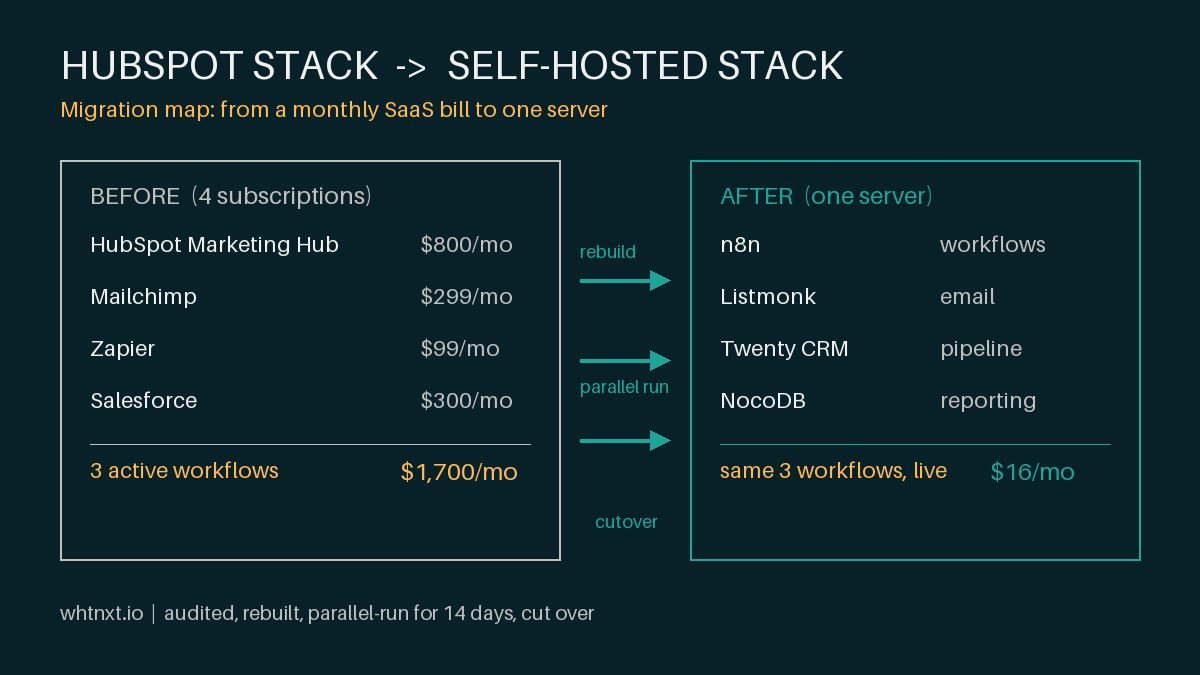
- Your CRM (HubSpot, Salesforce, or a self-hosted instance using Twenty CRM on Docker)
- Your email platform (Mailchimp, SendGrid, Listmonk)
- Your form builder (Typeform, Formbricks, Gravity Forms)
- Gmail or SMTP for notifications
Go to Settings > Credentials in n8n and add the API keys for each service. n8n stores these encrypted, so they’re only accessible within your instance.
Step 3: Build a Lead Routing Workflow
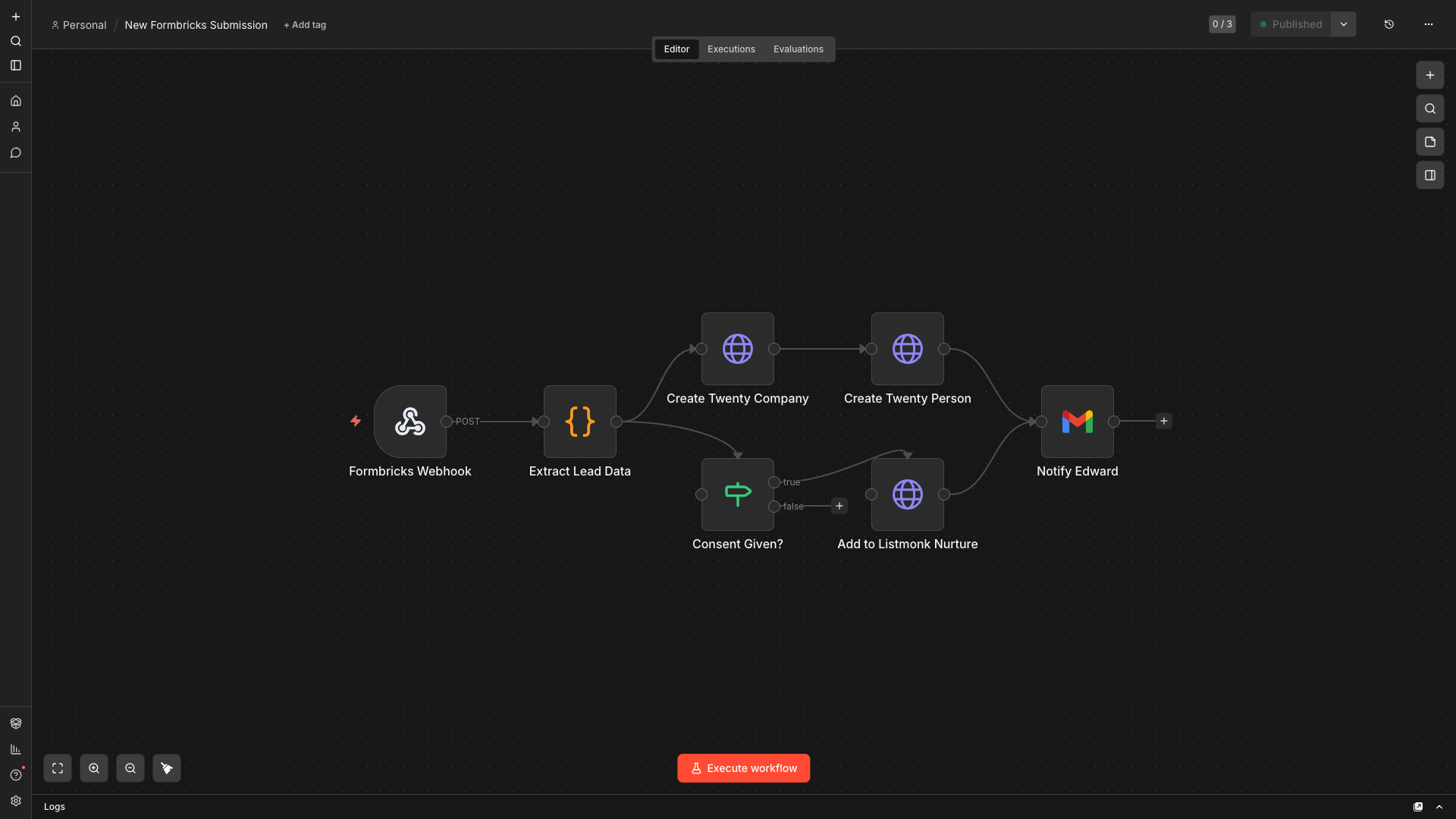
Here’s a practical first workflow that most marketing teams need: automatically route form submissions to your CRM and trigger a follow-up.
Trigger: Webhook node (receives POST from your form builder)
Step 1 - Extract lead data: Use a Set node to pull out the fields you need (name, email, company, message)
Step 2 - Create CRM contact: Use your CRM’s node (HubSpot, for example) to create or update the contact record
Step 3 - Score the lead: Use an IF node to check basic qualification criteria. Does the company name suggest enterprise? Is the message specific about a problem? Route differently based on the answer.
Step 4 - Send notification: Email yourself (or your sales team) with the lead details and your qualification notes
Step 5 - Add to email list: If the lead opted into marketing emails, add them to your nurture sequence via your email platform’s API
This entire workflow takes about 15 minutes to build in n8n’s visual editor. No code required, though you can add JavaScript or Python nodes if you need custom logic.
Step 4: Schedule Your First Report
One of the things I use n8n for most is automated reporting. Here’s a simple example:
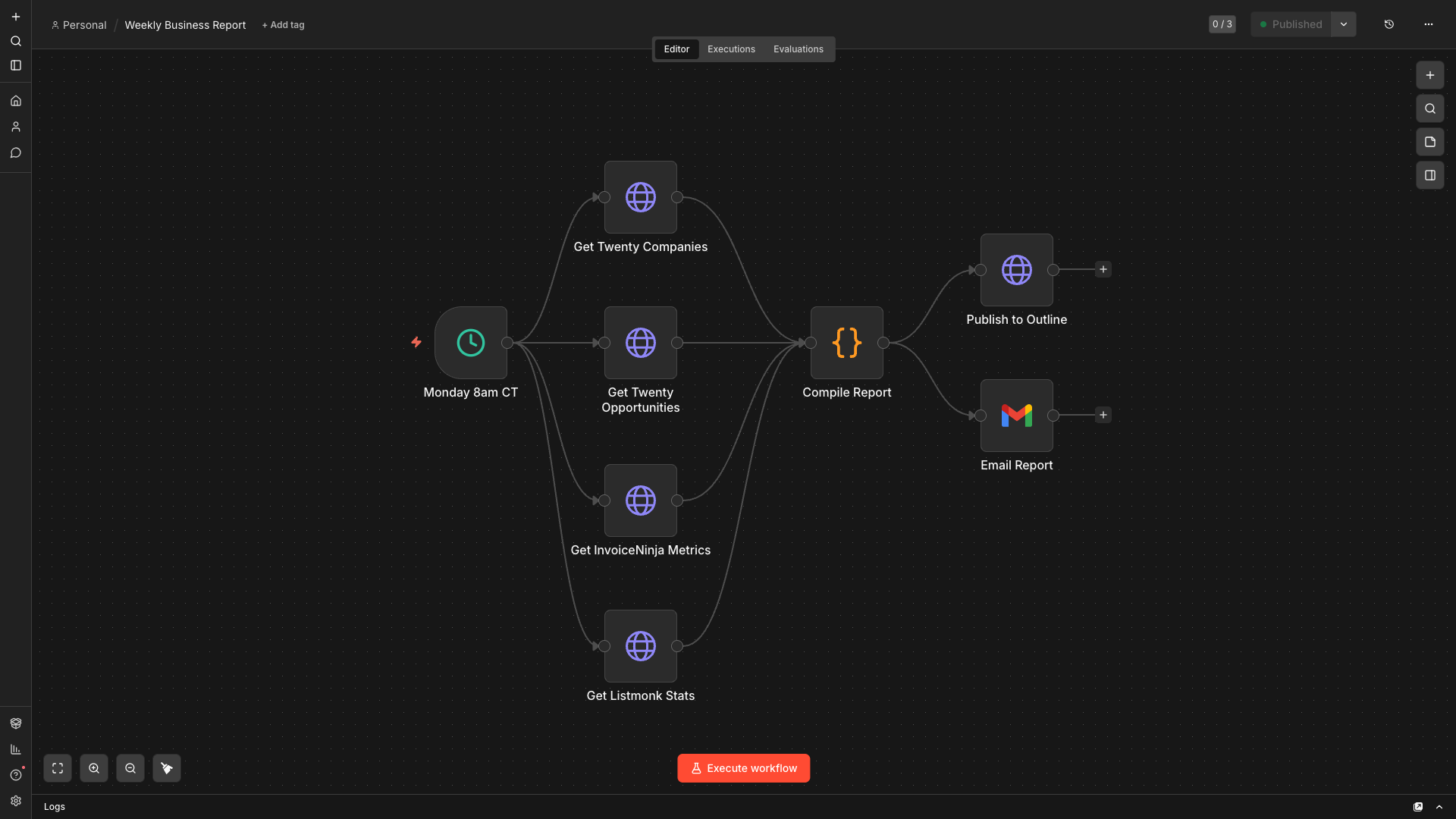
Create a workflow with a Cron trigger set to Monday at 8am. Have it pull data from your CRM (new leads this week, deals in pipeline, revenue closed), format it into a readable email, and send it to yourself. You now have a weekly business report that runs without you thinking about it.
Download the Starter Workflow
Want to skip the setup? Import this lead routing starter template directly into your n8n instance.
Download the Lead Routing Workflow JSON
To import: Open n8n, click the three dots menu in the top right, select “Import from File”, and choose the downloaded JSON. You’ll need to update the credentials to match your own integrations.
Why n8n Over Zapier
I used Zapier for years before switching. Here’s what made the difference:
Cost. Zapier charges by task execution and caps workflows on lower tiers. n8n is unlimited when self-hosted. I run thousands of executions per month at zero marginal cost.
Flexibility. n8n lets you add code nodes, handle complex branching logic, and build error recovery into your workflows. Zapier’s linear structure breaks down quickly for anything beyond simple A-to-B automations.
Data ownership. Everything runs on your infrastructure. Your API keys, your workflow logic, your execution logs. Nothing goes through a third party.
Webhook support. n8n can both receive and send webhooks natively. This makes it the natural glue layer between systems that don’t have direct integrations.
The tradeoff is that you’re responsible for hosting and maintenance. If that’s a dealbreaker, n8n also offers a cloud version, but the self-hosted option is where the real value is.
What I Run on n8n Today
To give you a sense of what’s possible once you get comfortable, here’s what my n8n instance handles:
- Automated email campaign management with self-hosted Listmonk and SES (case study)
- Lead intake from web forms, routed to CRM with context tagging
- Contract signing notifications, automatically updating CRM deal stages
- Invoice payment alerts with CRM notes and follow-up task creation
- Overdue invoice checks every morning
- Weekly business report compilation and delivery
- Programmatic email outreach across 254 Texas counties for SEO backlink building (full breakdown)
- Client onboarding sequences across CRM, billing, email, and docs
That’s 9 active workflows replacing what would have cost hundreds per month on Zapier and probably wouldn’t have been flexible enough to build in the first place.
Since writing that guide, I expanded the engine to serve 8 North Texas service businesses in a single multi-tenant setup. The marketing automation system for North Texas businesses covers the full architecture: lead intake, routing, 3-stage follow-up sequences, and client dashboards, all running on the same n8n instance.
Getting Started
If you’re comfortable with Docker, you can have n8n running in under 30 minutes. Start with one workflow that solves a real problem you have today. The lead routing automation guide covers a complete build for capturing, scoring, and routing web form leads into your CRM — it is a good first project because it touches multiple systems and gives you immediate value.
Once you have the basics down, the AI marketing agent tutorial shows how to add an AI Agent node for autonomous research and reporting tasks.
If you want help getting set up or want to talk through what workflows would make the biggest difference for your team, book a quick call or just reach out. I’m always happy to talk automation.