How to Connect Outbrain DSP (Zemanta) to BigQuery Without a Connector
Pipe Outbrain DSP (Zemanta) campaign stats into BigQuery with the n8n pull you already run. No vendor holding your API secret, and query free tier covers it.

Edward Chalupa
Founder, Whtnxt · Dallas, TX
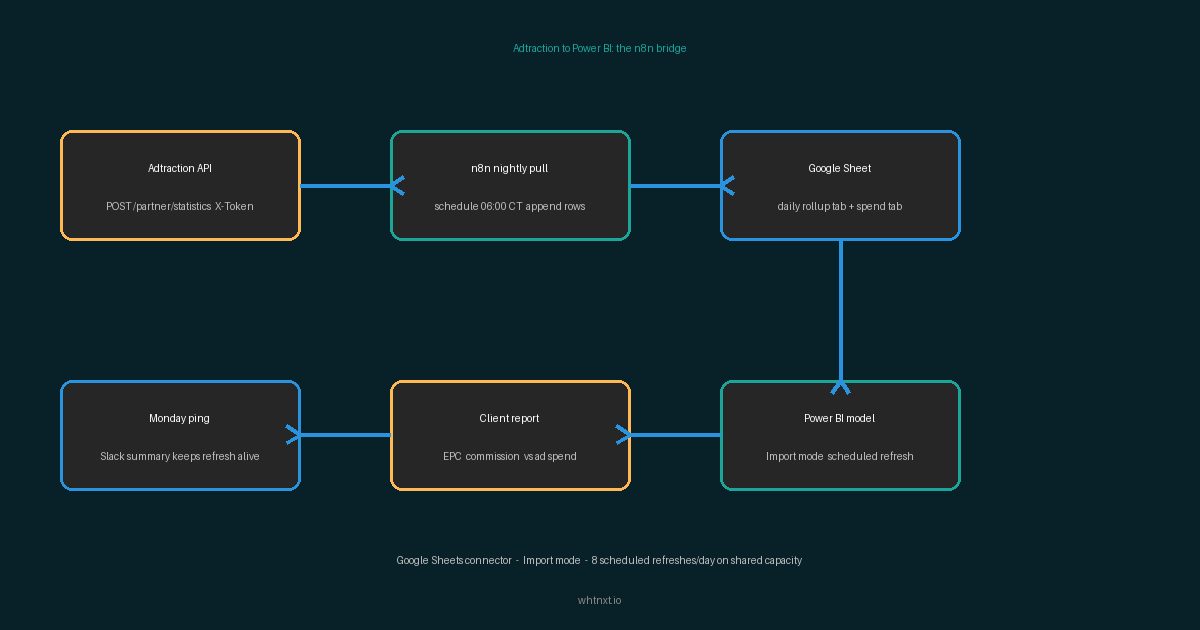
Every result for this query sells a connector. Catchr, Supermetrics and Coupler.io will move your Outbrain DSP numbers into BigQuery, and each one holds your DSP API secret while doing it. There is a second route, and if you already run the nightly n8n pull from my Outbrain DSP to Looker Studio bridge, you are one workflow edit away.
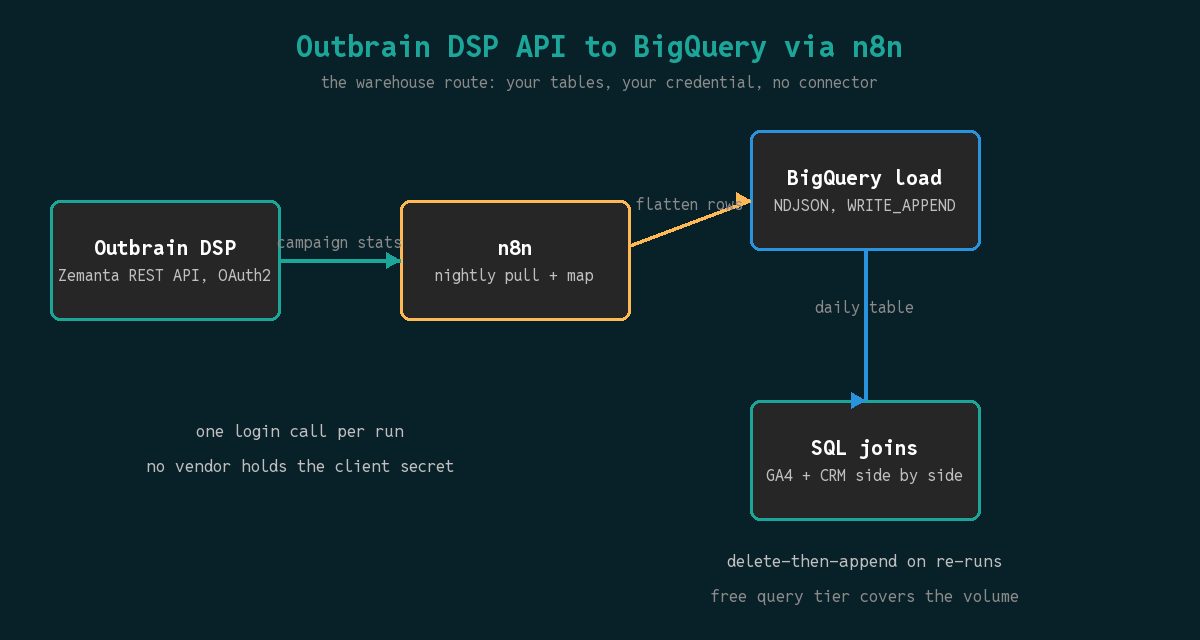
This guide lands the same campaign stats in BigQuery tables you own. The data stays inside your Google Cloud project, the query volume sits inside the documented free tier, and the warehouse copy joins against GA4 and CRM tables with plain SQL.
Why Bother With a Warehouse Copy at All
The Looker Studio bridge answers the client-review question: what did the month cost, and is programmatic getting cheaper next to paid search. A warehouse copy answers the harder questions. Which publishers convert after you join the placement data against CRM deal values? Where does native spend look once GA4 sessions carry assisted conversions back to the campaign? Those joins are SQL, and SQL needs tables, not a dashboard’s memory.
Three routes move this data, and only one keeps custody of your credential.
| Route | What you pay | What you give up |
|---|---|---|
| Connector vendor | Monthly subscription per account | Your DSP client secret lives on vendor infrastructure |
| Google Sheets relay into BigQuery | A second hop on data you already pull | Sheet row caps and a slower nightly chain |
| n8n straight into BigQuery | Nothing beyond the workflow you already run | Freshness equal to your schedule, not real time |
The vendor pages are honest about what they sell. Catchr’s Outbrain DSP to BigQuery page lists account, campaign, spend, impression and conversion fields and asks for your DSP API credentials during setup. Supermetrics documents 50 metrics and 65 dimensions on the same account type. The field coverage is genuinely fine. The custody question is the one I cannot make peace with: a live API secret against a client’s buying account, parked on someone else’s servers, moving every number through their pipes. This is the same argument I made in the Adtraction to Looker Studio bridge, and building it settles the argument in an evening.
BigQuery scares people who have only read slot pricing at full rate. Read the pricing page instead: the free tier covers 1 TB of queries and 10 GB of storage each month on the on-demand model, and every query bills a minimum of 10 MB per table referenced. A nightly campaign-stats pull for a handful of accounts is a few thousand rows a year. My queries against it land at the 10 MB floor and cost nothing.
What You Need Before You Start
The pipe pieces mostly exist if you run the Looker bridge. The two new ones take fifteen minutes.
| Component | Where it comes from | Time |
|---|---|---|
| Outbrain DSP (Zemanta) account | Active advertiser account with campaigns | Already done |
| API client ID and secret | dsp.outbrain.com/o/applications, New Application button | 5 minutes if new |
| n8n instance | The same self-hosted install running the Sheets reporting workflow | Already done |
| Google Cloud project | The project that owns your GA4 exports, with BigQuery enabled | 5 minutes |
| Service account + key | Editor on one BigQuery dataset, JSON key stored in n8n | 10 minutes |
| Google Sheets pull | Skip it entirely; this replaces the relay | 0 minutes |
Two requirements worth naming before the steps. The service account needs access to exactly one dataset, not the project; a leaked key with project-wide Editor is how reporting pipelines become horror stories. And the n8n box that runs the nightly pull is the same n8n automation engine behind every client workflow on this blog, the one I keep comparing against hosted SaaS in posts like self-hosting NocoDB.
The Pipeline, Step-by-Step
Five changes, and the auth half is copied whole from the Looker Studio guide. I am repeating the two parts that change under load, because the DSP platform does not email you when a token dies.
Step 1: Create the Dataset and the Load Schema
In BigQuery, create one dataset, say media_native. Inside it the nightly job will create its table on first run, so all you write is the schema as a JSON array:
[
  {"name": "run_date",     "type": "DATE",    "mode": "REQUIRED"},
  {"name": "account_id",   "type": "INTEGER", "mode": "REQUIRED"},
  {"name": "campaign_id",  "type": "INTEGER", "mode": "REQUIRED"},
  {"name": "impressions",  "type": "INTEGER"},
  {"name": "clicks",       "type": "INTEGER"},
  {"name": "spend",        "type": "FLOAT"},
  {"name": "conversions",  "type": "INTEGER"},
  {"name": "pulled_at",    "type": "TIMESTAMP"}
]
Declare it as a schema file for the load job rather than letting BigQuery infer types from your first file. Inference turns a night where the API returns spend as a string into a table where money is text, and you find out at the worst possible client meeting.
Step 2: Convert the Stats Rows to Newline-Delimited JSON
The DSP stats response gives you one object per campaign per day. BigQuery’s load job reads newline-delimited JSON: one flat JSON object per line. A Function node after the stats request does the mapping:
const rows = $input.all().map(item => JSON.stringify({
  run_date:    $json.date,
  account_id:  Number($json.account_id),
  campaign_id: Number($json.campaign_id),
  impressions: Number($json.impressions) || 0,
  clicks:      Number($json.clicks) || 0,
  spend:       Number($json.spend) || 0,
  conversions: Number($json.conversions) || 0,
  pulled_at:   new Date().toISOString()
}));
return rows.map(row => ({ json: { ndjson: row } }));
Flatten everything. Nested objects need record-mode schema declarations, and the DSP response nests enough already without volunteering for it.
Step 3: Load with a Write-Disposition Guard
Point a Google BigQuery node at the dataset, table outbrain_campaign_daily, format Newline Delimited JSON, write disposition WRITE_APPEND. Then add the guard that makes the whole pipeline re-runnable: the night’s rows carry run_date, and a re-run should never double it.
My rule for idempotency is simple. Append-only tables need a dedup column, so the nightly job deletes before it appends:
DELETE FROM media_native.outbrain_campaign_daily
WHERE run_date = DATE('2026-10-13');
Run that as a query job before the load on any backfill. A normal nightly run only appends a date the table has never seen, so the delete matters exactly on the mornings you re-run something, which is exactly when double rows do the most damage. The Sheets version of this pipeline needed a metadata tab for the same protection, documented in the Sheets workflow; in a warehouse the protection is one statement.
Step 4: Handle the Short-Lived Token the Honest Way
The DSP OAuth2 token is short-lived: the Looker guide walks the exchange and the validity window the platform documents. For a nightly pull the rule is to call /o/token/ once at the top of the run and pass the access token to every later node through a Set node, exactly as that guide does. n8n’s built-in OAuth2 credential also refreshes client-credentials flows, but the explicit login node stays in my builds because a refresh that fails quietly ships a night of missing rows, and one login call per run cannot fail quietly if the run checks the response. Nothing about the exchange changes for a BigQuery destination.
Step 5: Schedule, Then Cap the blast radius
Set the schedule after your DSP reporting window settles, the same timing the Sheets pull uses. Then set one cost control before anyone else touches the console: a custom quota or maximum bytes billed on the dataset. The free tier means my client pipelines cost nothing; the cap means the same is true after someone runs a SELECT * against a year of placement data with both hands.
Verify the Result and Troubleshoot What Breaks
Do not trust a green workflow run. Trust these three checks, in order.
- Row count matches the API. Run
SELECT run_date, COUNT(*) FROM media_native.outbrain_campaign_daily GROUP BY 1 ORDER BY 1 DESC LIMIT 7. The count for yesterday equals the campaign count in the DSP UI for the same day. A shortfall means pagination stopped early. - Money survived the trip.
SELECT SUM(spend)for yesterday against the DSP dashboard total. A float mismatch of a few cents is rounding; a round-number mismatch means a field mapped to the wrong column. - The join actually joins. Pick one campaign and select its spend from BigQuery next to its GA4 sessions. If the campaign IDs do not line up yet, your warehouse copy is a log file, not an asset, and the naming fix belongs in the schema now rather than after a year of history.
| Symptom | Cause | Fix |
|---|---|---|
| Load job rejects every row | Nested objects in the NDJSON | Flatten in the Function node; keep the schema one level |
| Yesterday missing after a re-run | Delete ran, load failed, nobody noticed | Alert on workflow error; re-run Step 3 load first |
| Spend is NULL for one campaign | DSP returned a comma string | Cast with REPLACE inside the mapping, or PARSE_BIGNUMERIC at query time |
| Query costs appeared despite free tier | Slot-based model on the project | Switch the project to on-demand or watch the quota page limits |
Frequently Asked Questions
Does BigQuery have a native Outbrain connector? No. The Data Transfer Service lists Google products and partner connectors that carry their own costs; Outbrain DSP is not a first-party connector, which is the entire reason vendors exist for this query.
Should I stream-insert instead of nightly loads? For campaign-day grain, no. Streaming inserts add per-row overhead for data that changes once a day. Reserve them for intraday budgets, where a load on a tighter schedule is already fast enough at this volume.
What about historical backfill? The DSP stats API serves past date ranges, so run the same workflow in a date loop, one delete-plus-load per day. I backfilled a client’s full year this way before their quarterly review and the query usage stayed far below the free tier.
What to Do Next
You now hold the number layer: DSP stats in tables with your GA4 exports and CRM data one JOIN apart. If the pipeline feels like more than you want to operate, that is a legitimate read too, and the pricing page shows what a managed engagement costs against doing it yourself. For readers already on the AI track, a warehouse copy is also what makes agent questions answerable, the foundation behind the AI agent development work I ship. And if you want a second opinion on which reporting pipes are worth automating first, the AI marketing automation service starts from an audit of exactly this stack.